
Microsoft 365 Device Code Phishing: Why MFA Isn’t Enough (and What to Do Next)


A recently reported attack campaign highlights a growing weakness in how organizations think about identity security in Microsoft 365.
According to a December 2025 report published by The Hacker News, threat actors linked to Russia have been abusing Microsoft 365 device code authentication to gain access to accounts while bypassing traditional phishing defenses and MFA protections.
Rather than stealing credentials through fake login pages, attackers are exploiting a legitimate OAuth authentication flow, combined with social engineering, to obtain persistent access to Microsoft 365 environments.
What Is Device Code Authentication in Microsoft 365?
Device code authentication is a built-in OAuth flow designed for scenarios where entering credentials directly isn’t practical — such as shared devices, command-line tools, or limited-input systems.
The process typically works like this:
A device or application generates a short authentication code
The user is instructed to visit a Microsoft sign-in page
The user enters the code and completes authentication
Microsoft issues OAuth tokens granting access
This flow is legitimate and supported by Microsoft. The issue arises when attackers control the application requesting the device code.
How Microsoft 365 Device Code Phishing Works
As outlined in the Hacker News report — which cites Proofpoint threat research — attackers register malicious OAuth applications and send victims phishing messages instructing them to “log in” or “approve access” using a device code.
Crucially:
The victim is sent to a real Microsoft sign-in page
There is no fake login form
MFA may still be completed successfully
Once the victim enters the device code and authenticates, OAuth tokens are issued to the attacker-controlled application, granting access to the victim’s Microsoft 365 resources. Proofpoint
At that point, the attacker no longer needs the user’s password.

Device code phishing flow showing how attackers abuse OAuth device authorization in Microsoft 365 to gain access without stealing credentials.
Why MFA Doesn’t Stop Device Code Phishing
MFA still functions during device code authentication — but MFA only validates the user, not the intent of the application requesting access.
Once device code authentication is completed:
OAuth access tokens are issued
The malicious application can access permitted data
MFA is not repeatedly challenged
Password changes may not revoke token-based access
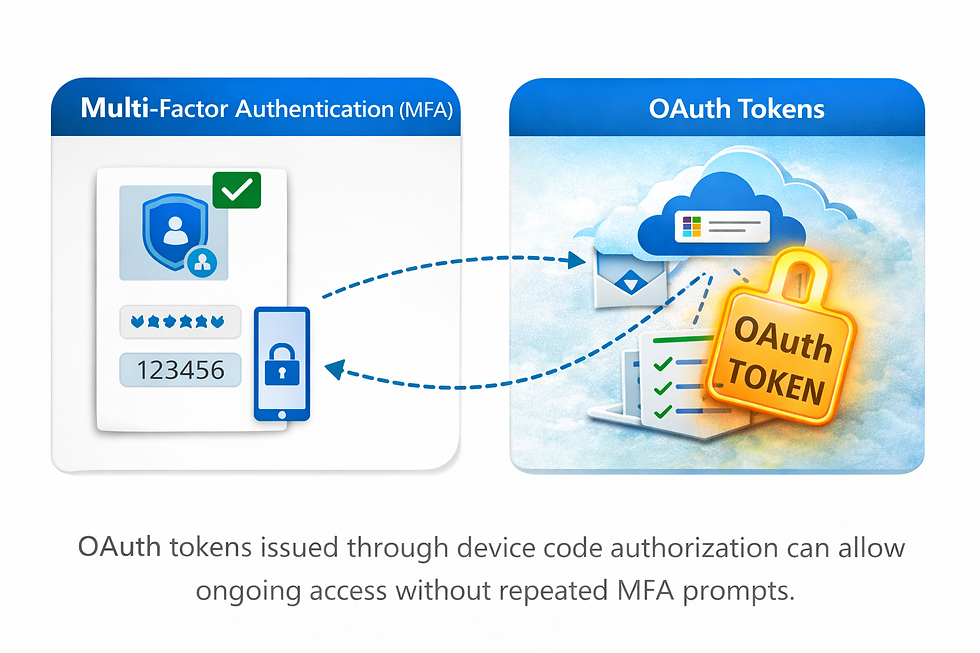
This distinction is critical:
MFA verifies identity. OAuth defines authorization.
This is why environments with “strong MFA everywhere” can still be compromised through device code abuse.
Why This Risk Is Often Missed
Device code phishing falls into a blind spot for many organizations because:
Security reviews focus on users, not applications
OAuth tokens and app permissions are rarely audited
Device code flow is assumed to be low-risk or unused
MFA is treated as the final security layer
As Proofpoint notes in its research, attackers are increasingly targeting authorization workflows rather than credentials, knowing these paths receive far less scrutiny.
What to Do Next: Reducing Device Code Risk
Microsoft recommends restricting or disabling device code authentication when it is not required.
Practical steps include:
Reviewing whether device code flow is needed at all
Blocking device code authentication via Conditional Access where possible
Limiting user consent and enforcing admin approval
Auditing existing OAuth applications and permissions
Monitoring new app registrations and token issuance
Ultimately, organizations should be able to answer:
Which applications currently have access to our Microsoft 365 tenant — and through which authentication flows?

Reducing OAuth risk requires visibility into connected applications, granted permissions, and ongoing access across Microsoft 365.
Final Thoughts
Microsoft 365 device code phishing is not a flaw in MFA — it’s a reminder that modern identity attacks exploit trust, authorization, and overlooked authentication flows.
As attackers continue to evolve beyond credential theft, organizations must expand identity security beyond passwords and MFA alone.
Understanding — and governing — device code authentication is now an essential part of securing Microsoft 365 environments.
Sources & References
The Hacker News — Russia-Linked Hackers Use Microsoft 365 Device Code Phishing to Bypass MFA
Proofpoint Threat Research — Device Code Phishing & OAuth Abuse (referenced by The Hacker News)
Microsoft Learn — OAuth 2.0 Device Authorization Grant & Conditional Access Guidance
AppGuard360 helps organizations maintain visibility into Microsoft 365 / Entra ID connected apps (OAuth) so security teams can identify risky access paths before they’re abused.

Comments